

How kcap works
One session, end to end
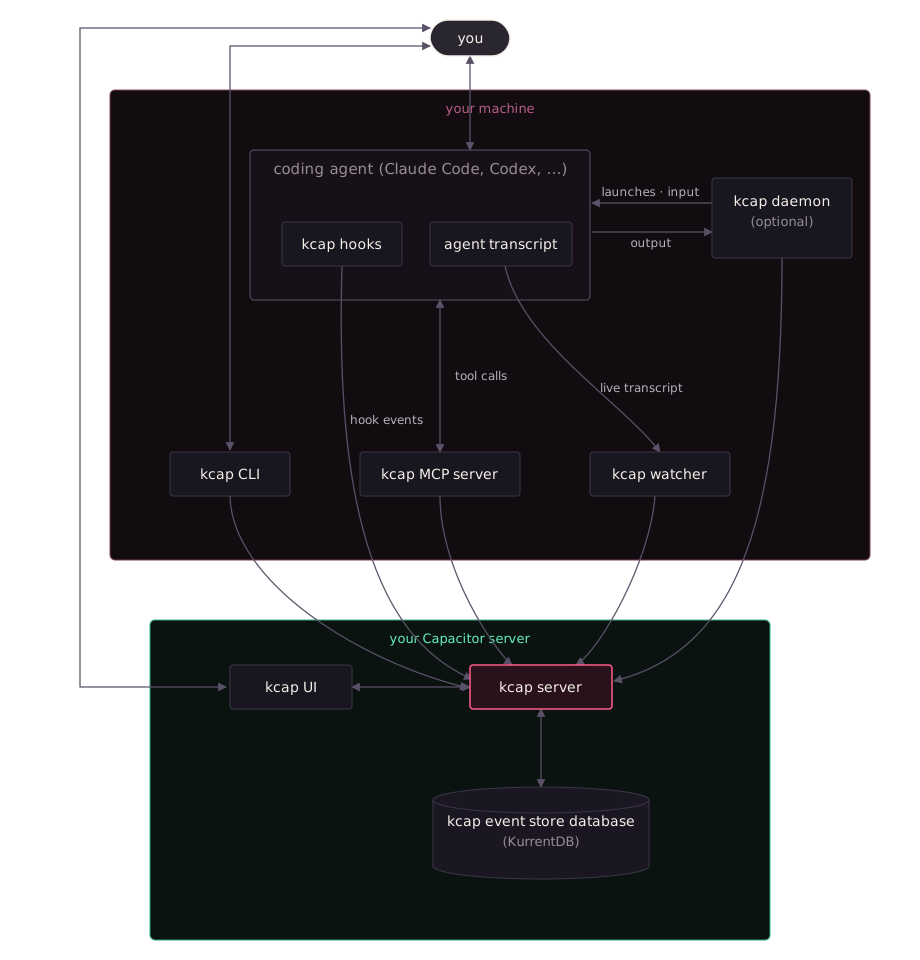
Section titled “One session, end to end”- The agent fires its session-start hook. The hook starts the watcher, posts the start to the server, and assembles the session-start context. A server that is slow or down does not stop the agent starting
- The watcher tails the transcript. The agent writes its own transcript file as it works; the watcher reads it as it grows and streams each record to the server over a live connection, redacting recognised secrets first. Subagents get their own watchers. The transcript file is never modified
- Tool hooks run alongside. Permission requests bridge to the web app and desktop app; a prompt answered in the terminal is retired there too. The git hook files each commit under the session
- The agent calls kcap’s tools. Each
kcap mcpserver turns a tool call into a request the server answers within the user’s visibility - The server appends to the event store. Every captured record becomes an event on the session’s own immutable stream in KurrentDB. Projections fold the streams into the read models the web app, search, analytics and evaluations use
- The session ends. The end hook stamps the time; the watcher notices the agent exit and stops. Agents without a native end event (Kiro, OpenCode) get a synthesised one. Server-side, outcomes, evaluations, work-item correlation, fact retention and notifications run over the finished session
- The loop closes. The next session start in that repository receives the results: guidance, the memory index, coordination notices
What runs where
Section titled “What runs where”| On your machine | In your workspace |
|---|---|
Agent hooks, the watcher, kcap mcp servers, the CLI, the optional daemon and the hosted agents it launches, the desktop app | The kcap server, the KurrentDB event store, the Postgres read models, the web app, projections and the subsystems that consume them |
The local edition moves the right-hand column onto your machine, listening on loopback only
Why an event store
Section titled “Why an event store”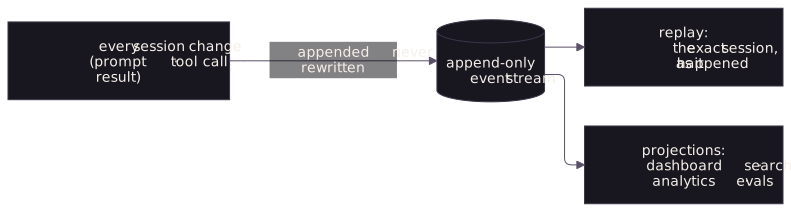
The server never updates a session in place; it appends. That is why a session can be replayed exactly as it happened, why capture keeps pace with live sessions (an append is the cheapest write there is), why new views such as a new evaluation or a new search index can be built from history without touching it, and why a projection that needs rebuilding (the Rebuilding notice) loses nothing. The store is KurrentDB, built by the same team